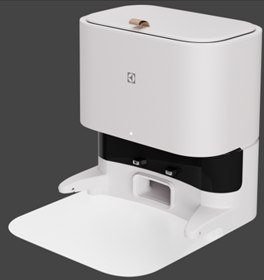
Unusual emptying noise - UltimateHome 700 Robotic Clean Station
Issue
Unusual emptying noise - UltimateHome 700 Robotic Clean Station
Applies to
- UltimateHome 700 Robotic Clean Station
Solution
Root cause - Emptying Station cleaning and maintenance required.
Step 1. Open the top lid
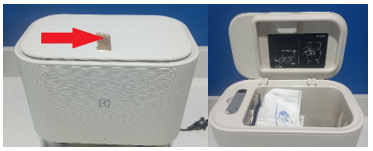
Step 2. Remove the bag
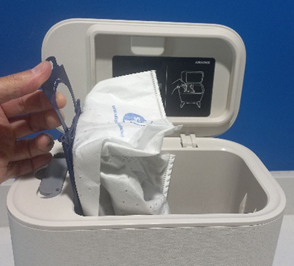
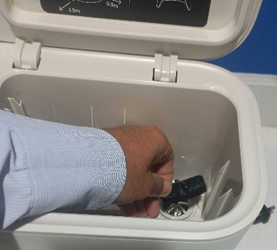
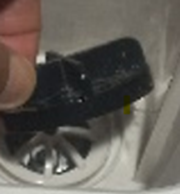
Step 3. Lift out the filter & clean it
Was this article helpful?
Related Articles
- The vacuum cleaner stops
- Cannot use app features - UltimateHome 700 Robotic Vacuum + Mop
- Not Emptying into the Dust Bag – UltimateHome 700 Robotic Vacuum- Mop
- Empty Station Dustbin troubleshooting - UltimateHome 800 Cordless Handstick Vacuum with Clean Station
- Stick vacuum cleaner has reduced or no suction power
- Power display (3 LED lights) flash three times before turning off - UltimateHome 700 Wet & Dry Vacuum
- Wi-fi Onboarding and Loss of Connection – Trouble shooting Robot Vacuum
- Electrolux | UltimateHome 300 robot vacuum How to set up video
- What can I do if the robotic vacuum wheel(s) is stopped?
- What can I do if the robotic vacuum's bumper gets stuck - Pure I9
Related Articles
- The vacuum cleaner stops
- Cannot use app features - UltimateHome 700 Robotic Vacuum + Mop
- Not Emptying into the Dust Bag – UltimateHome 700 Robotic Vacuum- Mop
- Empty Station Dustbin troubleshooting - UltimateHome 800 Cordless Handstick Vacuum with Clean Station
- Stick vacuum cleaner has reduced or no suction power
- Power display (3 LED lights) flash three times before turning off - UltimateHome 700 Wet & Dry Vacuum
- Wi-fi Onboarding and Loss of Connection – Trouble shooting Robot Vacuum
- Electrolux | UltimateHome 300 robot vacuum How to set up video
- What can I do if the robotic vacuum wheel(s) is stopped?
- What can I do if the robotic vacuum's bumper gets stuck - Pure I9