Strange running behaviour - UltimateHome Robot 300 vacuum
Issue
Incomplete software update, any kind of software bugs (strange running/coordination behaviour) where the root cause cannot identify, or software update does not help.
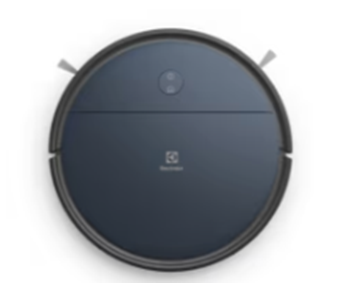
Applies to
- UltimateHome Robot 300 vacuum
Solution
Common solution to solve software-related error.
Robotic vacuum cleaner – Factory reset.
Factory reset:
- Take the robot out of the charger.
- Hold down the power button for 5 sec or so, and you should see that the robot turns off completely- it will beep, and the lights will go off.
- Wait for 10-15 sec to be sure nothing is happening in there.
- Still outside the charger, hold down the power button for a few seconds again and turn the robot on. Release the button when you see the lights go on- the robot will beep a couple of times when the startup is complete.
- Wait for 10-15 sec again.
- Now press and hold both buttons together- after 5 seconds you will hear a beep, keep holding them down for another 5 seconds until it beeps again. The robot should now do a factory reset and restart.
Set robot in onboarding mode
- Take the robot out of the charger.
- Hold down the power button for 5 sec or so, and you should see that the robot turns off completely- it will beep, and the lights will go off.
- Wait for 10-15 sec to be sure nothing is happening in there.
- Still outside the charger, hold down the power button for a few seconds again and turn the robot on. Release the button when you see the lights go on- the robot will beep a couple of times when the startup is complete.
- Wait for 10-15 sec again.
- Now press both buttons together, but only for approx. 5 seconds until you hear the first beep, then release the buttons. It should beep again (twice) as soon as you release the buttons, and the lights should blink.
At this point, the robot should be in onboarding mode, and you should be able to see (using a phone, for example) that the robot is broadcasting its presence via Bluetooth.
Contact an Authorized Service Centre.
If the above steps don't resolve the issue, we recommend contacting an Authorized Service Center.
Electrolux Book a Service
Was this article helpful?
Related Articles
- The vacuum cleaner stops
- Cannot use app features - UltimateHome 700 Robotic Vacuum + Mop
- Not Emptying into the Dust Bag – UltimateHome 700 Robotic Vacuum- Mop
- Empty Station Dustbin troubleshooting - UltimateHome 800 Cordless Handstick Vacuum with Clean Station
- Stick vacuum cleaner has reduced or no suction power
- Power display (3 LED lights) flash three times before turning off - UltimateHome 700 Wet & Dry Vacuum
- Wi-fi Onboarding and Loss of Connection – Trouble shooting Robot Vacuum
- Electrolux | UltimateHome 300 robot vacuum How to set up video
- What can I do if the robotic vacuum wheel(s) is stopped?
- What can I do if the robotic vacuum's bumper gets stuck - Pure I9
Related Articles
- The vacuum cleaner stops
- Cannot use app features - UltimateHome 700 Robotic Vacuum + Mop
- Not Emptying into the Dust Bag – UltimateHome 700 Robotic Vacuum- Mop
- Empty Station Dustbin troubleshooting - UltimateHome 800 Cordless Handstick Vacuum with Clean Station
- Stick vacuum cleaner has reduced or no suction power
- Power display (3 LED lights) flash three times before turning off - UltimateHome 700 Wet & Dry Vacuum
- Wi-fi Onboarding and Loss of Connection – Trouble shooting Robot Vacuum
- Electrolux | UltimateHome 300 robot vacuum How to set up video
- What can I do if the robotic vacuum wheel(s) is stopped?
- What can I do if the robotic vacuum's bumper gets stuck - Pure I9