Self-cleaning does not start - UltimateHome 700 Wet & Dry Vacuum
Issue
Self-cleaning does not start
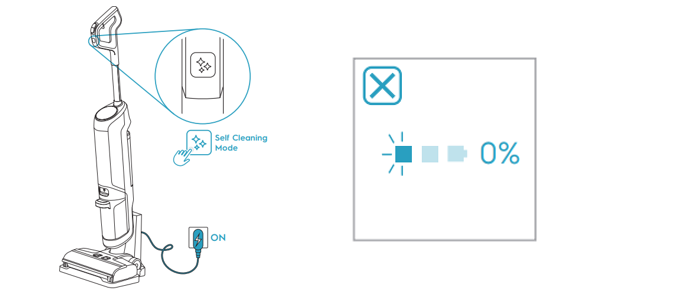
Pressing the self-cleaning button when the unit is placed on the charging stand, but the self-cleaning does not start
The self-cleaning icon and power display flash 5 times, then the unit returns to charging mode

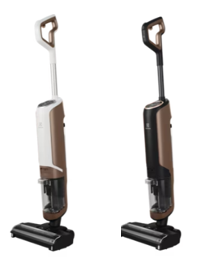
Applies to
- UltimateHome 700 Wet & Dry Vacuum
Solution
Possible reason | Solutions |
Self-cleaning is not allowed to start when the battery is less than 33% | Keep charging until LED1 of power display is always on, then self-cleaning function will be available |
If the above suggestions did not solve the problem, we recommend taking the product to the local service network for repair
Was this article helpful?
Related Articles
- The vacuum cleaner stops
- Cannot use app features - UltimateHome 700 Robotic Vacuum + Mop
- Not Emptying into the Dust Bag – UltimateHome 700 Robotic Vacuum- Mop
- Empty Station Dustbin troubleshooting - UltimateHome 800 Cordless Handstick Vacuum with Clean Station
- Stick vacuum cleaner has reduced or no suction power
- Power display (3 LED lights) flash three times before turning off - UltimateHome 700 Wet & Dry Vacuum
- Wi-fi Onboarding and Loss of Connection – Trouble shooting Robot Vacuum
- Electrolux | UltimateHome 300 robot vacuum How to set up video
- What can I do if the robotic vacuum wheel(s) is stopped?
- What can I do if the robotic vacuum's bumper gets stuck - Pure I9
Related Articles
- The vacuum cleaner stops
- Cannot use app features - UltimateHome 700 Robotic Vacuum + Mop
- Not Emptying into the Dust Bag – UltimateHome 700 Robotic Vacuum- Mop
- Empty Station Dustbin troubleshooting - UltimateHome 800 Cordless Handstick Vacuum with Clean Station
- Stick vacuum cleaner has reduced or no suction power
- Power display (3 LED lights) flash three times before turning off - UltimateHome 700 Wet & Dry Vacuum
- Wi-fi Onboarding and Loss of Connection – Trouble shooting Robot Vacuum
- Electrolux | UltimateHome 300 robot vacuum How to set up video
- What can I do if the robotic vacuum wheel(s) is stopped?
- What can I do if the robotic vacuum's bumper gets stuck - Pure I9