Motor starts /stops and all and LED’s start flashing - UltimateHome 900 Handstick Vacuum
Issue
Motor starts /stops and all and LED’s start flashing
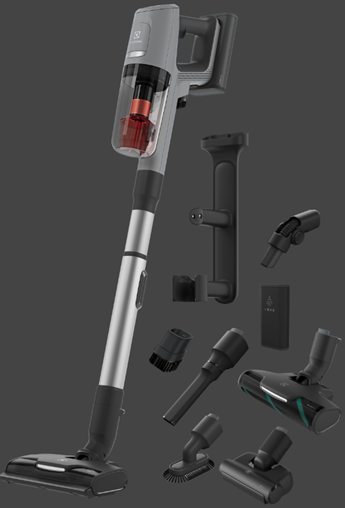
Applies to
- UltimateHome 900 Handstick Vacuum
Solution
The motor starts and stops in few secs or does not start at all and LED’s starts flashing
- Check if there is any Obstacle in Brush roll, remove it and try again. Remove the nozzle and try to start the unit.
- Check & clean filters.
- Put the unit on the charging stand and let it charge for a few hours then retry.
- Operating temperature between 5° and 36° Celsius. (The charging function works only between this temperature range).
- After charging for a few hours the unit exhibits the same behaviour, it indicates that battery pack needs a replacement.
If the above suggestions did not solve the problem, we recommend taking the product to the local service network for repair
Was this article helpful?
Related Articles
- The vacuum cleaner stops
- Cannot use app features - UltimateHome 700 Robotic Vacuum + Mop
- Not Emptying into the Dust Bag – UltimateHome 700 Robotic Vacuum- Mop
- Empty Station Dustbin troubleshooting - UltimateHome 800 Cordless Handstick Vacuum with Clean Station
- Stick vacuum cleaner has reduced or no suction power
- Power display (3 LED lights) flash three times before turning off - UltimateHome 700 Wet & Dry Vacuum
- Wi-fi Onboarding and Loss of Connection – Trouble shooting Robot Vacuum
- Electrolux | UltimateHome 300 robot vacuum How to set up video
- What can I do if the robotic vacuum wheel(s) is stopped?
- What can I do if the robotic vacuum's bumper gets stuck - Pure I9
Related Articles
- The vacuum cleaner stops
- Cannot use app features - UltimateHome 700 Robotic Vacuum + Mop
- Not Emptying into the Dust Bag – UltimateHome 700 Robotic Vacuum- Mop
- Empty Station Dustbin troubleshooting - UltimateHome 800 Cordless Handstick Vacuum with Clean Station
- Stick vacuum cleaner has reduced or no suction power
- Power display (3 LED lights) flash three times before turning off - UltimateHome 700 Wet & Dry Vacuum
- Wi-fi Onboarding and Loss of Connection – Trouble shooting Robot Vacuum
- Electrolux | UltimateHome 300 robot vacuum How to set up video
- What can I do if the robotic vacuum wheel(s) is stopped?
- What can I do if the robotic vacuum's bumper gets stuck - Pure I9