How to maintain the Pure Q9 cordless stick Vacuum Cleaner
Issue
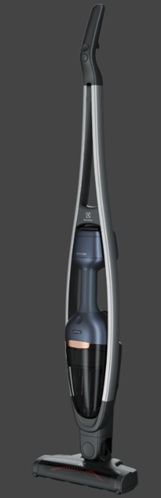
How to maintain your Pure Q9 cordless stick Vacuum Cleaner
Applies to
- Pure Q9 cordless stick Vacuum Cleaner
Solution
Find out how to clean and maintain your Pure Q9 Cordless Handstick Vacuum cleaner. With regular cleaning and maintenance of your Pure Q9 and its accessories, it ensures its optimal performance for the cleaning of your home.
Was this article helpful?
Related Articles
- Wi-fi Onboarding and Loss of Connection – Trouble shooting Robot Vacuum
- Cordless Stick vacuum cleaner maintenance Well Q7
- The vacuum cleaner stops
- Not Emptying into the Dust Bag – UltimateHome 700 Robotic Vacuum- Mop
- Filter icon on when vacuuming - UltimateHome 900 Handstick Vacuum Cleaner
- Robotic vacuum's Wi-Fi symbol has disappeared or is blinking Pure i9
- Cannot use app features - UltimateHome 700 Robotic Vacuum + Mop
- Empty Station Dustbin troubleshooting - UltimateHome 800 Cordless Handstick Vacuum with Clean Station
- Stick vacuum cleaner has reduced or no suction power
- Power display (3 LED lights) flash three times before turning off - UltimateHome 700 Wet & Dry Vacuum