CE on the display and cannot adjust the temp settings - Vintec Wine Cooler
Issue
CE on the display and cannot adjust the temp settings
Applies to
- VWS820SCB-X
- VWD820SCB-X
Solution
CE is displayed when the product is in Wine Cellar mode
Wine Cellar reproduces the ideal conditions for wine storage, at a constant recommended temperature of 12°C.
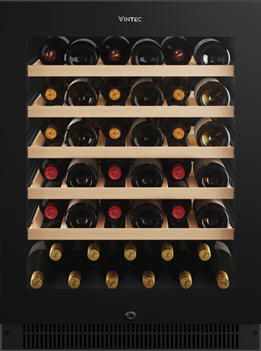
VWS820SCB-X – Single Zone Wine Cooler
When the cabinet has been set to Cellar mode the display will show CE and the temperature cannot be adjusted.
When any temp button is selected it will display the current temperature value (12 degrees), and flash 5 times then display will return to CE.
To switch from Cellar mode to Standard mode
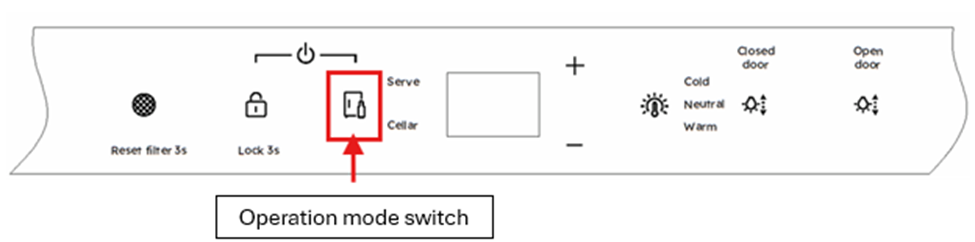
Press the ‘operation mode switch’ to change from Cellar Mode to Standard Mode.
VWD820SCB-X – Dual Zone Wine Cooler
Cellar Mode can be selected for upper compartment only, lower compartment only or both upper and lower compartment
Upper compartment – CE is displayed on left side of display
Lower compartment - CE is displayed on the right side of the display
Upper & lower compartment CE is displayed on both Left and Right side of the display
When any temp button is selected it will display the current temperature value:
Upper compartment, 11°C and flash 5 times then display will return to CE.
Lower compartment, 13°C and flash 5 times then display will return to CE.
Upper and lower compartment, 11°C(left display) 13°C (right display) and flashes 5 times then both displays will return to CE
To switch from Cellar mode to Standard mode
Press the ‘operation mode switch’ to change from Cellar Mode to Standard Mode.

For more information on temperatures settings and options please refer to the product user manual.
Was this article helpful?
Related Articles
- Temperature in the refrigerator is too low, freezing in the crisper bins
- Ice maker is not making any ice
- How to remove/replace the auto humidity control drawer with membrane
- The fridge is beeping and door alarm is on the display
- Door light not functioning correctly – Vintec Wine cabinet
- The LED lighting not working or dim in my fridge-freezer
- How to Video "Change Air filter, Air filter alarm, Air filter reset"
- Filter alert message - Vintec
- VCZ Too cold freezing on fridge/wine Settings EHE6191BB "MULTI SWITCH DRAWER"
- How to Align and level the cabinet and doors
Related Articles
- Temperature in the refrigerator is too low, freezing in the crisper bins
- Ice maker is not making any ice
- How to remove/replace the auto humidity control drawer with membrane
- The fridge is beeping and door alarm is on the display
- Door light not functioning correctly – Vintec Wine cabinet
- The LED lighting not working or dim in my fridge-freezer
- How to Video "Change Air filter, Air filter alarm, Air filter reset"
- Filter alert message - Vintec
- VCZ Too cold freezing on fridge/wine Settings EHE6191BB "MULTI SWITCH DRAWER"
- How to Align and level the cabinet and doors