Unable to connect to Wi-Fi network 900 series
Issue
900 series washing machine can no longer connect to home Wi-Fi network.
Randomly disconnects from Wi-Fi network
Solution
Customer instructions to fix this issue:
Sometimes removing the security certificate is necessary. FACTORY RESET removes not only Wi-Fi credentials but also the security certificate.
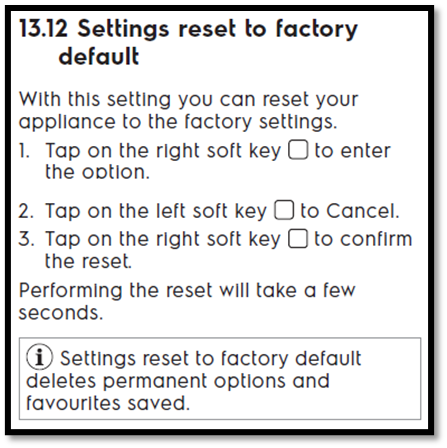
To perform the FACTORY RESET on 900 series follow instructions below as per User Manual.
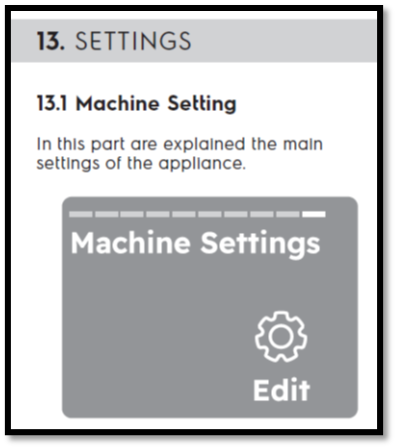
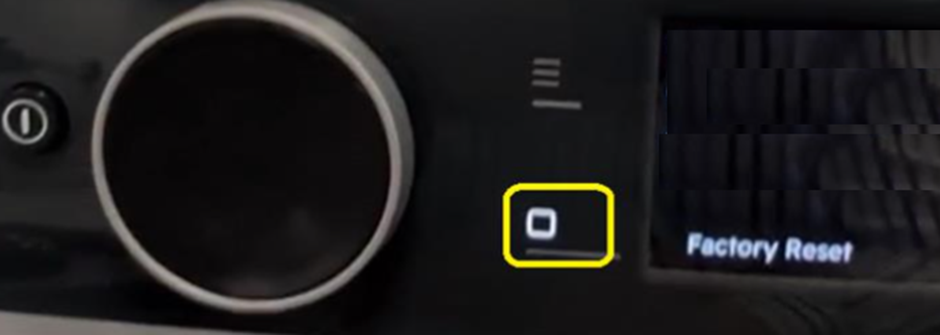
Turn the machine ON. Navigate through selections to Machine setting. In Machine setting navigate through to Factory reset and follow steps 13.12 as per UM.Customer should now start the Wi-Fi connection procedure from start. During procedure make sure to “Accept Update”. After successful connection to home Wi-Fi network machine will automatically update the Wi-Fi board’s firmware to fix the issue of random Wi-Fi disconnection. While updating “Updating” appears on display. Do not touch the machine until update is completed. Machine will revert to normal user mode once update is completed.
Was this article helpful?
Related Articles
- The door of the washing machine cannot be opened
- Tumble dryer is leaking
- "CLE" Appears on My Washing Machine Display
- Washing machine or Dryer displays error E90, E91
- Electrolux Ultimate Care 900 washer - SmartSelect How to set programs (Video)
- Front load washer or washer dryer displays error E10, E11
- Drying Rack – How to install and use drying rack program
- Unable to connect to Wi-Fi network 700 series
- Why is there water or moisture is in my washing machine before the first use?
- Washing machine’s drain pump filter is jammed, cannot be removed
Related Articles
- The door of the washing machine cannot be opened
- Tumble dryer is leaking
- "CLE" Appears on My Washing Machine Display
- Washing machine or Dryer displays error E90, E91
- Electrolux Ultimate Care 900 washer - SmartSelect How to set programs (Video)
- Front load washer or washer dryer displays error E10, E11
- Drying Rack – How to install and use drying rack program
- Unable to connect to Wi-Fi network 700 series
- Why is there water or moisture is in my washing machine before the first use?
- Washing machine’s drain pump filter is jammed, cannot be removed